Always Connected
Screen off, phone in your pocket, all night. If the link drops, it reconnects by itself, after a restart or an update too. Reconnecting never sends a command.
How it worksFor Bluetooth diesel heaters · Android
Start, stop and watch your diesel heater over Bluetooth, from your pocket or across the van. It never changes a setting you didn't ask for. No sign-up, no location, no ads, and your data is never sold.
Free to download and use. Pro: US$10 a year, 7-day free trial.
Switch the big card from the room to the heater itself. The fan, the glow plug, the fuel pump and the flame are drawn doing what your heater is doing right now, stage by stage, with the run time counting up beside the flame. Free for everyone; Pro adds how the flame looks.
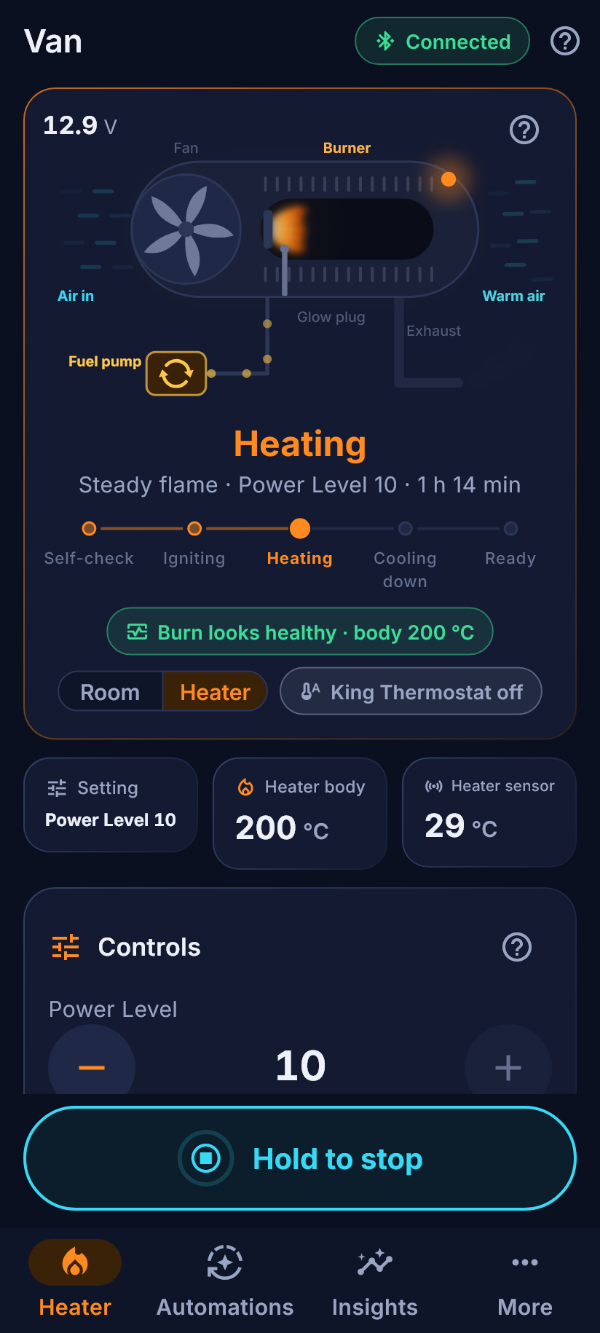
Heating
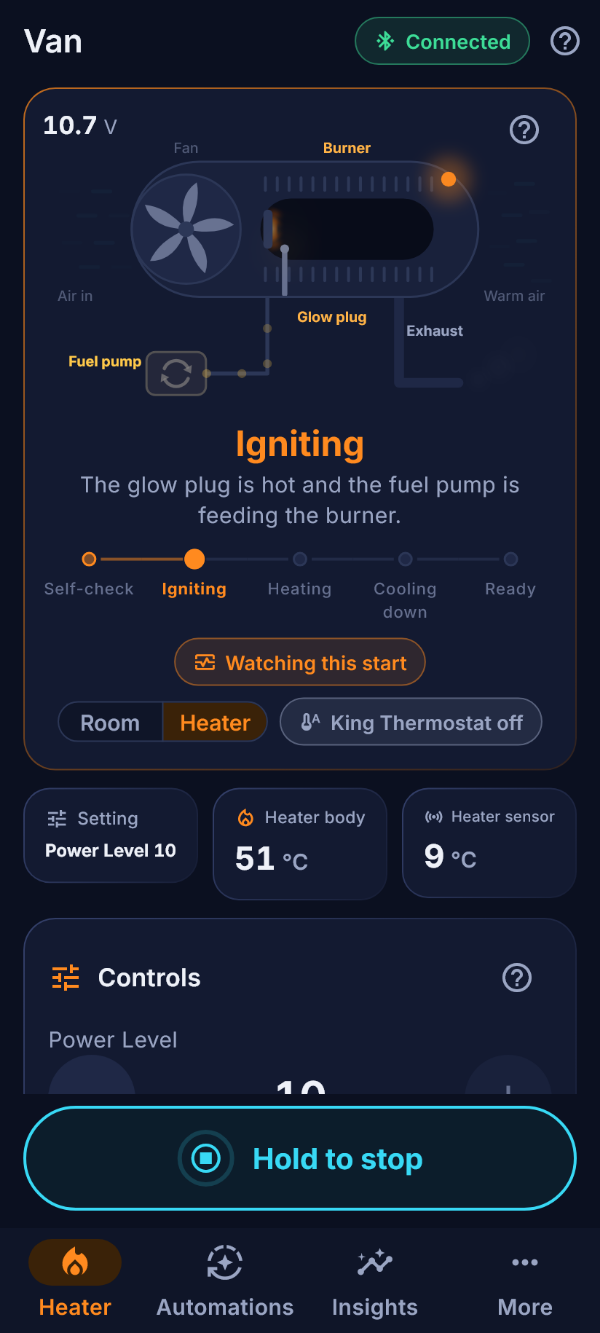
Igniting
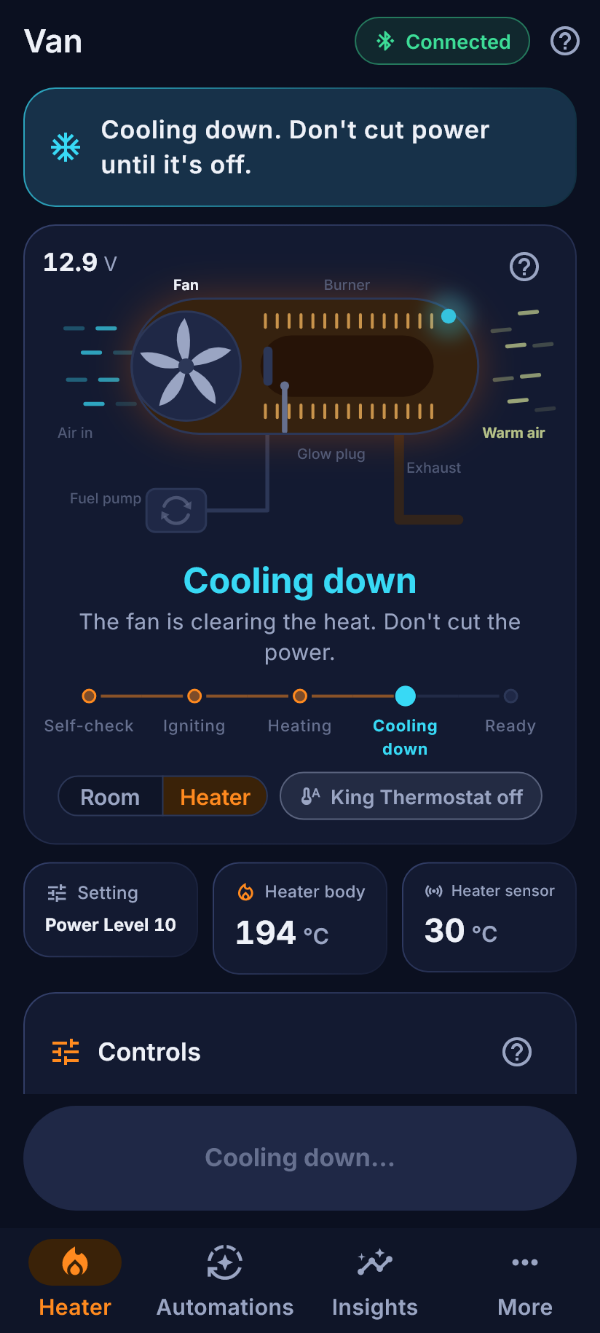
Cooling down
Screen off, phone in your pocket, all night. If the link drops, it reconnects by itself, after a restart or an update too. Reconnecting never sends a command.
How it worksThe app never changes your heater unless you asked it to. Every change is read back from the heater, and Pro's History shows who or what did it.
How it worksNo account, no ads or tracking. Your readings and run history stay on your phone, and the app never asks for your location.
How it worksNo risk: see it work with your own heater before you pay anything.
No account and no card to try it. Cancel Pro's free week before it ends and you pay nothing.
Everything you need to run your heater:
CO Guard is not a certified CO alarm. It only works for heaters with a CO sensor, while this phone is connected and nearby. Always keep a working CO alarm installed.
More than a remote: automations a heater's own app doesn't have, working with the screen off and the phone in your pocket. Pro: US$10 a year, with a 7-day free trial once per phone. Start your free week.
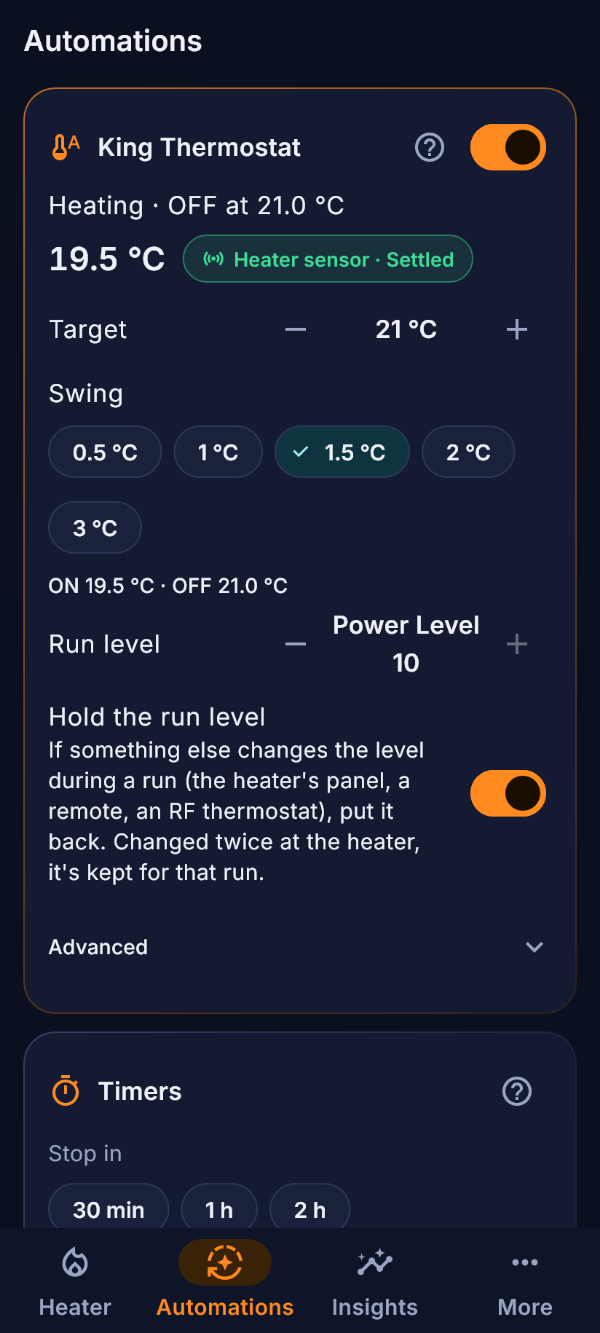
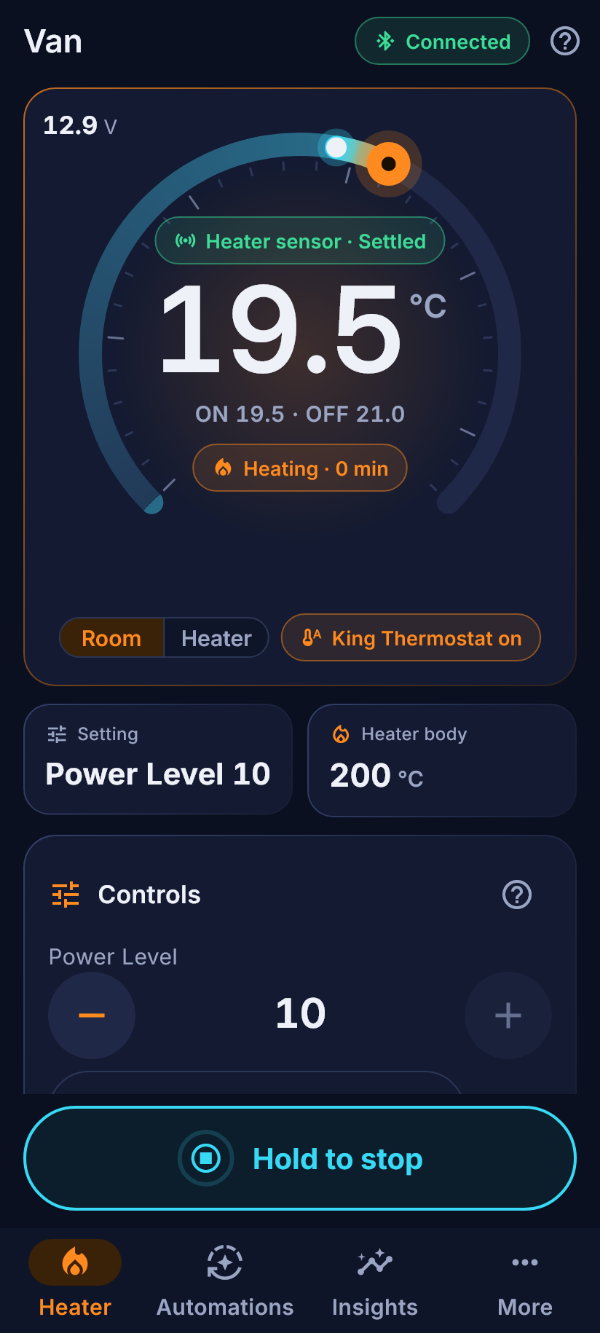
Your phone becomes the thermostat: leave it on a table in the room overnight, and the app starts and stops the heater to hold the temperature you pick.
How it works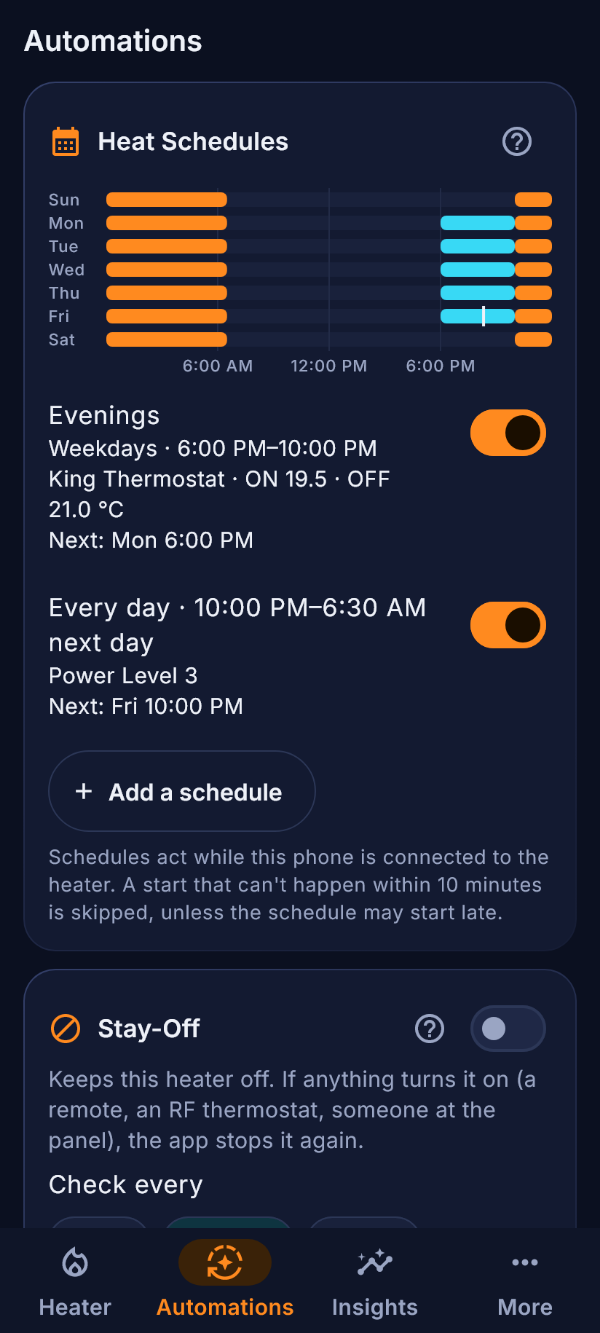
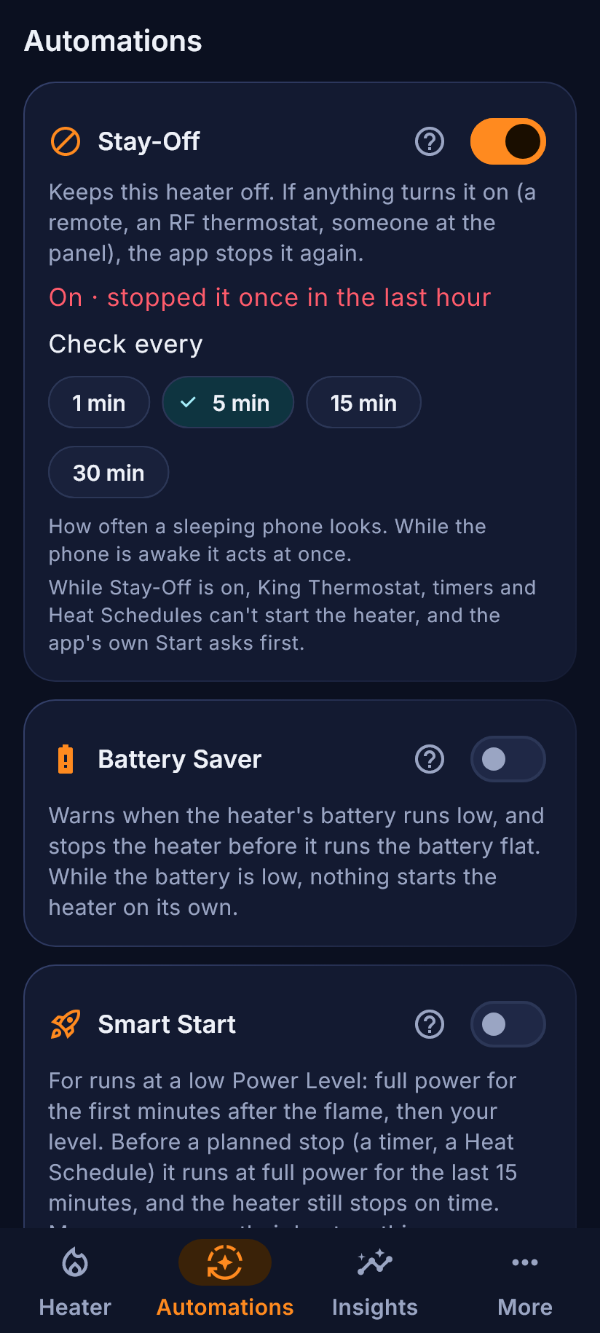
Keeps this heater off. If anything turns it on (a remote, an RF thermostat, someone at the panel), the app stops it again.
How it works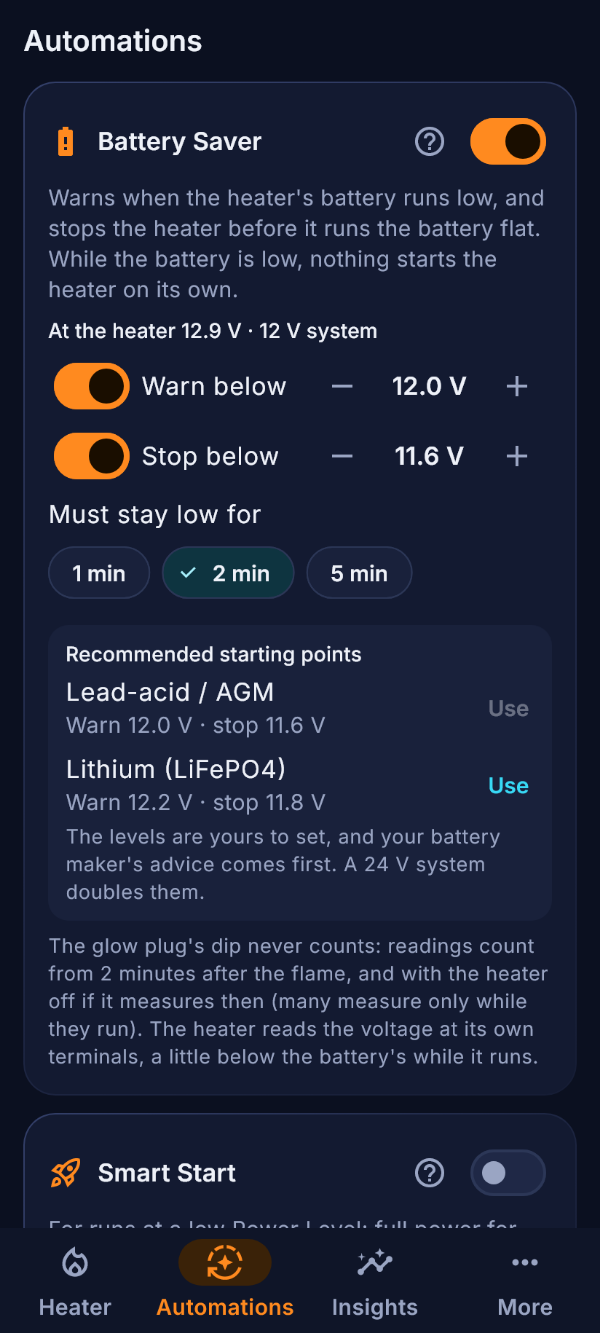
Warns when the battery runs low, and stops the heater before it's flat.
How it worksRun for a while, then stop. Or start at a set time.
How it worksRuns on a low Power Level start and finish at full power.
How it worksAfter long runs on low, full power for the last 15 minutes, as many owners do.
How it worksFind out when someone else changes your heater, or have the app put your settings back.
How it worksA warning when a fault shows, the flame looks weak, or a start didn't finish.
How it worksThe room's temperature from the Phone sensor or a Bluetooth thermometer (Beta), not just the heater's.
How it worksDiesel Heater King is built to know as little about you as possible.
There's nothing to sell: no account, no profile, no tracking.
No ads, no analytics and no trackers, in the app or on this website.
The app never asks for your location. On Android, you pick your heater and thermometers in Android's own list of nearby devices, so it needs no location.
Open the app and add your heater. That's all it takes.
Your readings, runs and history are kept on your phone, and only there.
Checking a Pro key, and once a day for the newest version. Never anything about your heater.
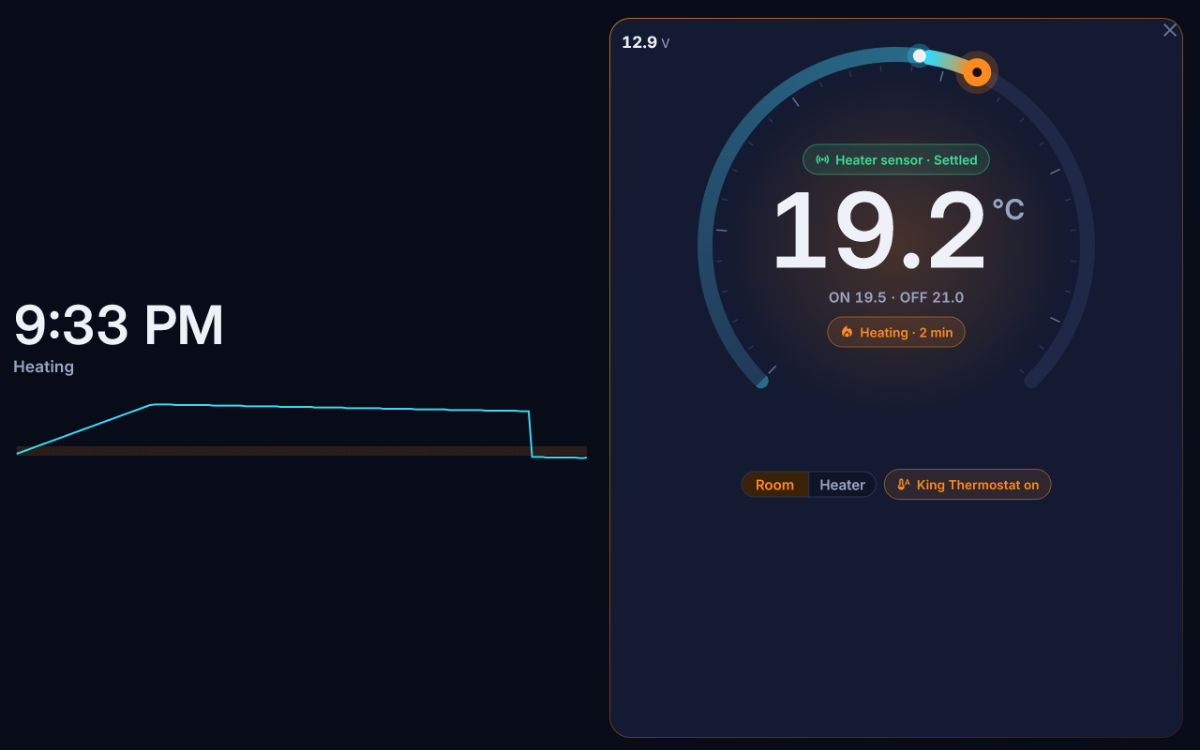
Wall Display (Pro) shows the time, the King Dial and the room on an old phone or tablet: full screen while it charges, dimmed at night.
How it worksWhatever the brand: the app connects to the heater's own Bluetooth, with no extra box and no cables. It checks your heater when you add it, and nothing is ever sent to a heater it can't read.
Which heaters workNot to run your heater: the app talks to it over Bluetooth, so it works off grid. Pro is bought on this website, and the app checks it with this website when you enter your key and about once a month; between checks it works offline for weeks.
Most Bluetooth diesel heaters, whatever the brand or model: the app knows them by their Bluetooth, not by their name. It checks yours when you add it. See which heaters work.
Yes. Leave it on a table or nightstand in the room, out of its case, ideally on its charger, and King Thermostat (Pro) keeps the room at your temperature all night, from the phone's own temperature sensor. Nothing to set up. It works best with the phone left still; if you'll be using the phone a lot, or want it exact, add a Bluetooth thermometer.
Govee, ThermoPro, SwitchBot, BTHome sensors, and Xiaomi thermometers running the open ATC or pvvx firmware, all in Beta, for King Thermostat (Pro). See the full list.
Yes: US$10 a year, with a 7-day free trial once per phone. Start your free week. If Pro ends, its features switch off and nothing is sent to your heater.
No. There's nothing to sell: no account, no profile, no tracking, and what the app records stays on your phone. See the privacy policy.
You'll know before you pay anything: the free version connects to your heater and shows its readings. If it can't read your heater, it sends it nothing, and the support form can help get it added.
Yes. The Demo Heater runs a pretend heater inside the app, so you can try every screen.
Not yet. Android comes first (Android 12 or newer); iPhone is planned for later.
CO Guard is not a certified CO alarm. It only works for heaters with a CO sensor, while this phone is connected and nearby. Always keep a working CO alarm installed.